Let workflows do the repetitive part. Recruiters do the
rest.
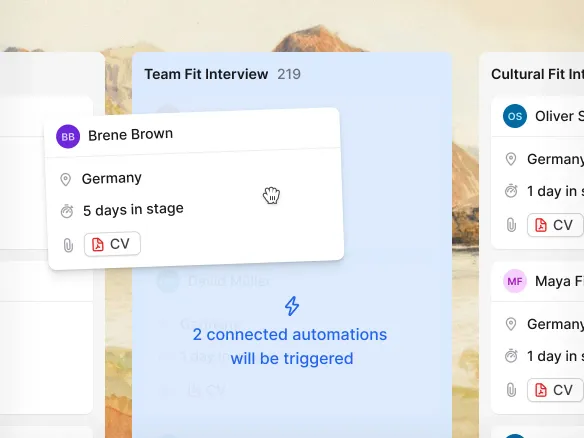
A visual no-code editor: trigger emails, tag candidates, and
move them between stages automatically when they enter a new
stage or answer a screening question. Branch by score,
location, department, or language inside a single workflow.
Recruiters get back to the conversations that actually decide
a hire.
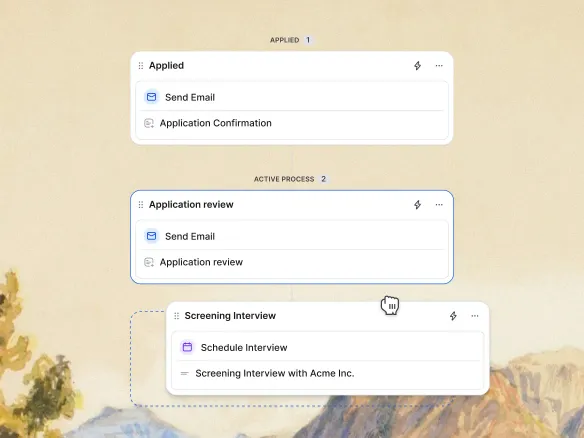
When a candidate moves to 'screening', send the take-home brief.
When they move to 'rejected', send the templated rejection. The
email goes out automatically with your merge fields filled in.
Build it in the visual editor: pick a trigger, pick an action, no
scripting.
Automated emails fire the moment a candidate changes
stage
Merge fields pre-filled from the candidate record
Build once in the visual editor, no scripting required
02
Tag and route from the application form.
Every candidate carries the board they came in on, and TalentGleam can
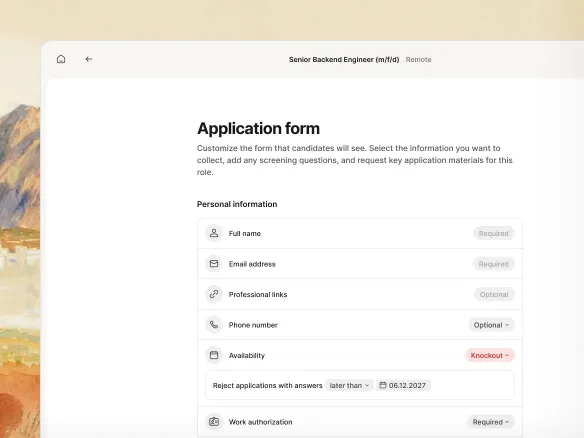
auto-tag them by source for reporting. Application-form screening
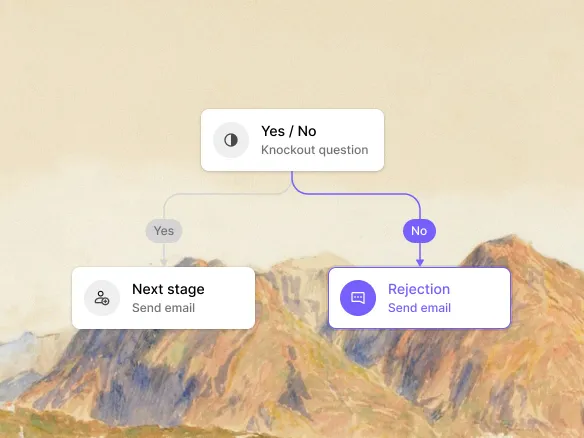
questions can drive tags too: candidates who passed the knockouts
go one way, ones who didn't go another. Or trigger workflows
manually from a candidate profile when you need a one-off.
Auto-tag candidates by the board they applied through
Knockout answers drive tags and routing automatically
Trigger workflows manually from the profile for
one-offs
03
Branch on what matters.
Conditional logic in the visual editor: route by score, location,
department, or language. Senior London engineers can flow into one
workflow; junior Berlin retail into another. Different actions for
different segments, without building a separate workflow per
segment.
Route by score, location, department, or language
Different actions for different segments in one
workflow
No need to build a separate workflow per candidate
segment
WHAT YOU CAN DO
Automate without giving up control.
Four triggers
Stage move, source board, application form answer, or a
manual button on the candidate profile. Pick one to start a
workflow.
Three actions
Send a templated email, change the candidate's stage, or add
a tag. Chain them in any order.
Conditional branching
Route by score, location, department, or language. Different
actions for different segments, in one workflow.
Slack via Zapier or Make
Need to notify a teammate on Slack or post to your HRIS?
Wire TalentGleam's events into your Zap or Make scenario via the
Integrations feature.
Recruitment automation FAQ
What can I automate in TalentGleam?
Workflows fire on four triggers: a stage move, the source
board a candidate came in on, an application-form answer
(e.g., a knockout question), or a manual click on the
candidate profile. The workflow then sends a templated email,
changes the candidate's stage, or adds a tag, with optional
conditional branching. If you can express it as 'when X
happens, send this email, move to that stage, tag this way',
TalentGleam runs it.
Do I need a developer to set up recruitment
automation?
No. Workflows are built in a visual editor: pick a trigger,
add actions, set conditions. No code.
How does conditional branching work?
Inside a workflow, you can route candidates differently based
on their score, location, department, or language. One
workflow can handle multiple paths instead of forcing you to
build a separate workflow per segment.
Can I push automation events to Slack, Teams, or my
HRIS?
Not as a native action today. Use the Integrations feature:
TalentGleam's events feed into Zapier or Make scenarios, which can
then post to Slack, Microsoft Teams, your HRIS, or any other
tool with a Zapier/Make integration.
How does recruitment automation relate to the hiring
pipeline?
Workflows fire on pipeline events: a stage move is the most
common trigger. The pipeline is the structure; workflows are
what happens automatically as candidates move through it.