Set knockout questions on your application form for the
requirements that aren't negotiable: work permit, driving
licence, on-site availability. Fail one and the application is
rejected automatically, so nobody spends review time on a
candidate who can't take the role. Every decision is logged
with the answer and the rule that matched, and a recruiter can
reverse it in one click.
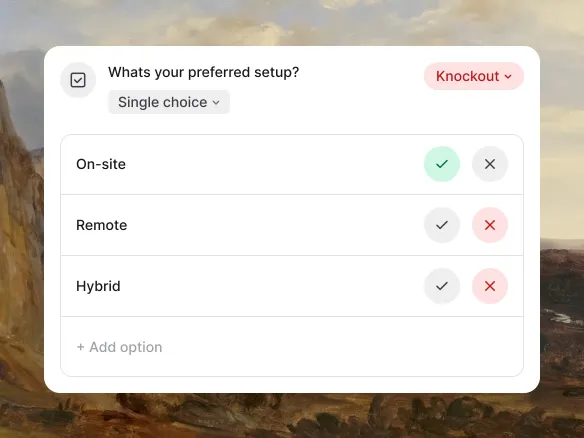
Optional, Required, or Knockout: set per question.
Every screening question on the application form carries a tier.
Optional: the candidate can skip it. Required: they must answer to
submit, but the answer itself has no consequence. Knockout: fail
it and the application is rejected the next day. Use Knockout only
for the requirements that are genuinely non-negotiable, like work
permit, driving licence, or on-site availability, so the
recruiter's review time goes to candidates who can actually take
the role.
Optional: skippable, no consequence
Required: must answer to submit, answer doesn't gate
anything
Knockout: a failing answer rejects the application the next
day
02
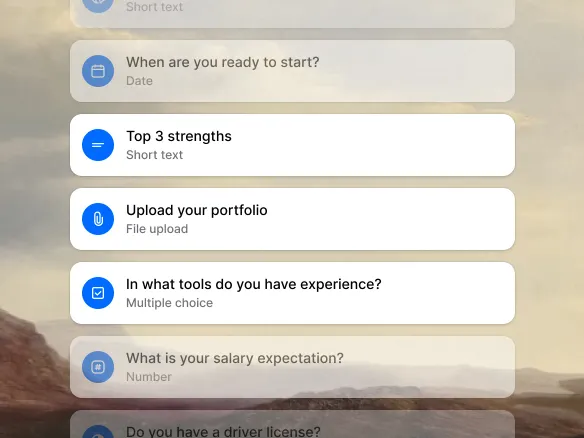
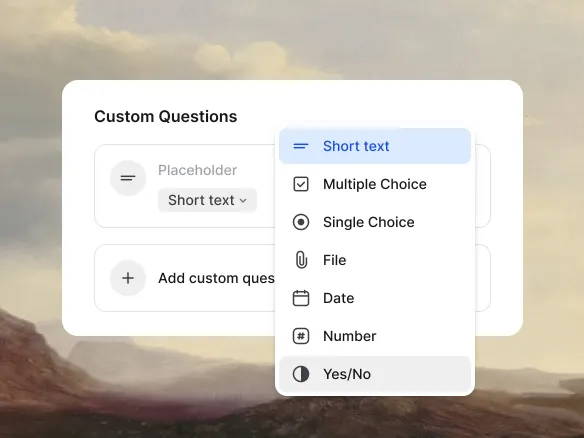
Seven question types, five of them Knockout-capable.
Boolean for yes/no (work permit, on-site availability).
Single-select for one choice among several (certification level:
none, basic, advanced). Multi-select for coverage ('which of these
tools have you used?'). Numeric for thresholds (years of
experience, salary expectation). Date for timing (earliest start,
notice period). All five support the Knockout tier. Text and file
upload round out the set for information you want on record, but
neither can be a Knockout: there's no rule to match a free-text
answer or a file against.
Boolean, single-select, multi-select, numeric, and date all
support Knockout
Text and file upload are Optional or Required only, never
Knockout
Pick the type that fits the requirement; the tier stays
independent of it
03
Automatic, but never silent. Reversible, always.
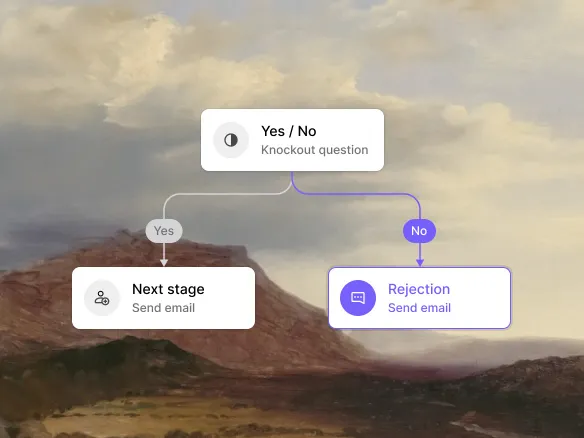
A Knockout fail rejects the candidate the next day: the stage
moves to Rejected and the rejection email sends automatically, no
recruiter action needed. Every decision is logged on the candidate
profile with the answer given and the rule that matched, so
nothing is a black box. Rejected candidates aren't hidden or
deleted, and a recruiter can reverse the decision with a dedicated
restore action if a rule was wrong.
Knockout fail rejects and emails the candidate the next
day
Every decision logged with the answer and the rule that
triggered it
One-click restore reverses a wrong rejection; nothing is
deleted
WHAT YOU CAN DO
Filter the obvious mismatches before review.
Seven question types
Boolean, single-select, multi-select, numeric, date, text,
and file upload. Five support Knockout; text and file don't.
Optional, Required, or Knockout
Set the tier per question. Only Knockout rejects
automatically; Optional and Required never do.
Per-role configuration
Screening questions attach to the job's application form, so
each role asks its own. Templates make the common
combinations reusable.
Auditable and reversible
Each knockout outcome logs the answer the candidate gave and
the rule that triggered, and a recruiter can restore a wrong
rejection. Compliance-ready, no manual record-keeping.
Application screening FAQ
What's a knockout question?
A screening question set to the Knockout tier: if a
candidate's answer fails the rule (no work permit, no driving
licence, can't start on time), the application is rejected
automatically, before anyone spends review time on it.
What types of knockout questions does TalentGleam support?
Boolean (yes/no), single-select (pick one), multi-select (pick
several), numeric (years of experience, salary expectation),
and date (earliest start, notice period) can all be set to
Knockout. Text and file-upload questions exist too, but only
as Optional or Required: there's no rule to match a free-text
answer or a file against, so they can't reject.
Does TalentGleam auto-reject candidates who fail a knockout?
Yes, the next day: the stage moves to Rejected and the
rejection email sends automatically, without waiting on a
recruiter. That's the point of the Knockout tier: it removes
review time on candidates who don't meet a non-negotiable
requirement. It's never silent (the candidate is emailed) and
never a black box (the answer and the rule are logged), and a
recruiter can restore a wrong rejection in one click. Rejected
candidates aren't hidden or deleted.
Is there an audit trail for knockout decisions?
Yes. Every knockout outcome is logged on the candidate profile
with the answer they gave and the rule that triggered.
Compliance-ready: useful for GDPR audits and for the EU AI Act
human-oversight requirement on candidate-decision systems.
Do Optional and Required screening questions ever reject a
candidate?
No. Only the Knockout tier can reject an application. Optional
questions can be skipped with no consequence. Required
questions must be answered to submit, but the answer itself
never gates or flags anything: they're for information you
want on file, not for filtering candidates.